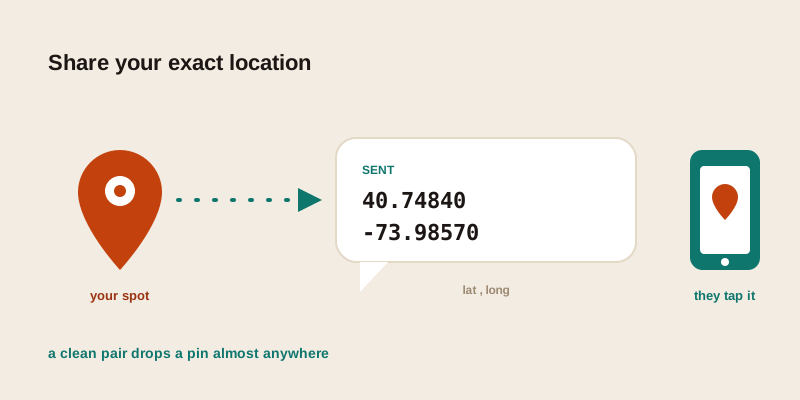
Someone is waiting for you in a car park, at a trailhead, or outside a building with three identical entrances, and the message you really want to send is "here — exactly here." This is about the act of sharing your exact location: when a map link is the right call, when raw coordinates work better, what to do when the other person has no app installed, and how to weigh sending a fixed point against switching on a live, moving dot.
Three ways to share a location, and when each wins
Almost every "send me your location" request resolves to one of three formats. They carry the same point on the ground; they differ in how robust they are and what the recipient needs to open them.
| Format | Looks like | Recipient needs | Best for |
|---|---|---|---|
| Map link | a tappable URL to a maps app | internet + the matching app or a browser | quick taps, when both people use the same app |
| Raw coordinates | 40.7484, -73.9857 | almost nothing — any map accepts them | cross-platform, archiving, low signal |
| Plus Code / three words | a short code or three dictionary words | support for that specific system | saying a place out loud, short texts |
The mistake people make is treating the map link as the default for everything. A link is convenient when both sides are in the same ecosystem and online — but it's also the most fragile option. It can expire, it can open in the wrong app, it can collapse into a useless preview when copied into the wrong field, and it tells you nothing if the internet is patchy. For anything you want to be sure survives the trip, a clean coordinate pair is the safer envelope.
When raw coordinates beat a map link
A coordinate pair is just two numbers — latitude (north/south) and longitude (east/west), latitude always first. It looks plain next to a glossy map link, but that plainness is exactly its strength. There are concrete situations where you should reach for the numbers instead of the URL.
- You don't know what the other person uses. A link built for one maps app may open awkwardly, or not at all, for someone on a different platform. Coordinates drop a pin in nearly every map app, GPS unit, and rideshare search box on Earth.
- The signal is weak. A link needs to load. Coordinates are self-contained: the recipient can read them, type them in later, or write them on paper. Nothing to fetch.
- It needs to last. Shortened and "share" links can expire or change. A coordinate pair saved in a note today still points to the same spot in ten years.
- You're crossing apps or systems. Pasting a point into a spreadsheet, a work ticket, an email to a stranger, or a logbook — coordinates travel cleanly where a proprietary link would arrive broken.
- Precision matters more than convenience. You control exactly how precise a coordinate is (more on that below). A dropped pin sometimes snaps to a building's official entrance rather than the spot you actually meant.
To grab your own coordinate pair right now, open the where am I tool — it reads your device's position and shows the latitude and longitude ready to copy. To pin a spot you're not standing at, the find GPS coordinates tool lets you search a landmark and nudge the pin onto the exact point first.
How many decimal places to actually send
The digits after the decimal point are a precision dial, and most people send too many out of habit. Each extra place tightens the pin by roughly a factor of ten. Choosing the right length keeps the share readable without losing accuracy you need.
| Decimal places | Roughly resolves to | Good for |
|---|---|---|
| 2 | about 1 km | which town or district |
| 3 | about 100 m | which block or field |
| 4 | about 10 m | which building |
| 5 | about 1 m | a specific door, gate, or bench |
| 6 | about 0.1 m | finer than your phone's GPS is honest about |
For sharing where you are, five decimal places is the practical sweet spot — that's metre-level, which is finer than a consumer GPS can reliably promise anyway. Sending eight digits past the point just implies a precision your phone doesn't actually have, and makes the pair harder to read aloud or retype. Trim to five and you lose nothing real.
Sharing over SMS, or when there's no app
Plenty of location handoffs happen with a plain text message and no shared app — an older relative, a tradesperson, a taxi driver, a contact abroad. This is where raw coordinates outperform everything else, because a text message is the most universal channel there is.
The text-it-anywhere recipe
- Get the pair. Read your position from the where am I tool and copy the latitude and longitude.
- Trim to five decimals. Enough for metre-level; short enough to type back.
- Keep every sign and separator. A dropped minus sign flips a hemisphere; a swapped latitude and longitude lands on another continent. Send them as latitude, longitude, exactly.
- Paste them into the message body. Most modern phones turn a recognisable coordinate pair in a text into a tappable link automatically — and if they don't, the recipient can paste the numbers straight into any map's search box.
- Add one line of human context. "It's the gate just past the red barn" or "park here, walk two minutes down the path." This rescues the share if the technology fails, and costs nothing.
That landmark sentence is genuinely underrated. The most reliable location share in the world is a precise coordinate plus a plain-language note, because the two fail in different ways — if the numbers get mangled in transit, the words still point the way.
If you'd rather send something pronounceable
When the handoff is spoken — read down a phone line in a noisy place — a string of digits is error-prone. That's the niche for short codes and three-word addresses, which are designed to survive being said out loud. They're a different tool for a different moment, and we compare them in depth in our guide to addresses for places with no street address.
One-time share vs live location: a privacy decision
There's a real difference between sending a fixed point and turning on a live, moving location, and it's worth being deliberate about which one you choose. They solve different problems and carry very different privacy footprints.
A one-time share is a snapshot
Sending a coordinate pair, or a static "here's where I am" link, hands over a single point at a single moment. Once it's sent, it doesn't keep updating. The recipient knows where you were when you sent it, and nothing after that. This is the right choice for the vast majority of everyday needs: "this is the restaurant," "the parcel goes to this gate," "meet me at this bench." It reveals the minimum — one place, one time — and there's nothing left running in the background to forget about.
Live location is a moving feed
Live sharing streams your position continuously to whoever you've shared with, usually for a set window of time. It's genuinely useful when you're en route — a friend tracking your drive home, a group converging on a venue, family knowing you've landed safely. The trade-off is that you've opened a window onto your movements, not just one spot.
A few habits keep live sharing safe:
- Prefer a time limit. Share "for the next hour," not indefinitely. The most common privacy mishap is a live share left running for weeks because nobody turned it off.
- Share narrowly. A named person or small group, not a wide channel or a link that can be forwarded onward.
- Check who's still on the list. Periodically review active shares and stop the ones that have served their purpose.
- Default to one-time. If a single point answers the question, send the point. Reserve live tracking for journeys, not destinations.
If you do need a moving, time-boxed live link — the kind you switch off the moment you arrive — that's a dedicated job best handled by a purpose-built live sharing service such as livelocation.app, rather than improvising with a static coordinate.
Receiving someone else's location
Sharing has a flip side: making sense of what lands in your inbox. If a friend texts you a bare coordinate pair and you want to know what neighbourhood it actually is before you set off, paste it into the GPS to address tool — it turns latitude and longitude back into the nearest readable street, city, and postal code. That sanity check catches the classic errors: a swapped pair that points across the world, or a mistyped sign that flips a hemisphere. Confirm the address looks plausible for where you're meeting before you trust the pin.
Putting it together
Sharing your exact location comes down to matching the format to the moment. For a quick tap between people on the same app, a map link is fine. For everything that has to be robust — cross-platform, low-signal, long-lived, or sent to someone with no special app — a clean coordinate pair trimmed to about five decimals, plus a one-line landmark note, is the most reliable thing you can send. And when the question is "where will I be" rather than "where am I now," reach for a time-limited live share instead of leaving a tracker running.
Want to send your spot right now? Open the where am I tool, copy your coordinates, and paste them into any message — and if you're pinning a place you're not standing at, the find GPS coordinates tool lets you drop the pin exactly where it belongs first.